
How to Get Started on Our Minecraft Server
Follow these simple steps to start playing on our Minecraft server!
1. Launch Minecraft
Open the Minecraft launcher and log in with your account. Make sure you are running the latest version of Minecraft. Once logged in, press the Play button.
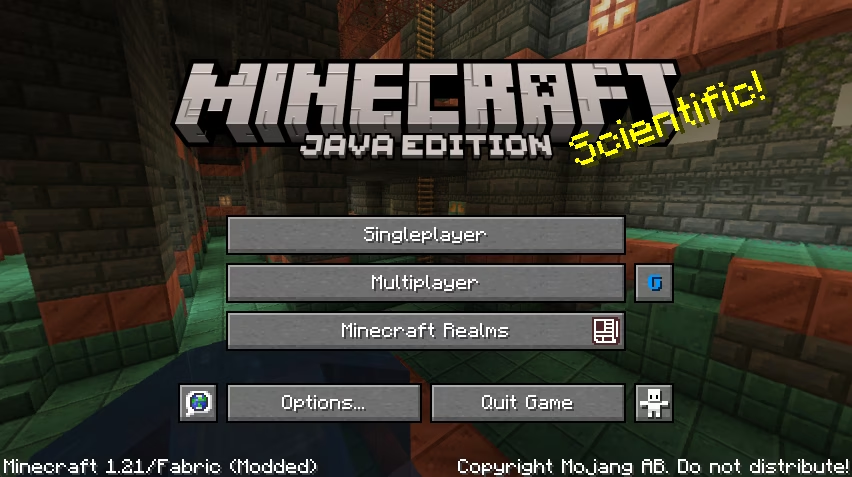
2. Go to Multiplayer
After Minecraft has loaded, you'll be at the main menu. Click the Multiplayer button to access the multiplayer servers menu.
3. Add Our Server
In the Multiplayer menu, click on the Add Server button to add a new Minecraft server to your server list.
- Server Name: Enter any name for the server (e.g., "Cookymine").
- Server Address: Enter our server IP:
cookymine.net.
4. Join the Server
After adding the server, it will appear in your server list. Click the server and then click the Join Server button to connect. Now, you're in the game!
Troubleshooting
If you're having trouble connecting, make sure:
- Your Minecraft version matches the version supported by the server.
- You have a stable internet connection.
- The server IP is entered correctly.